
Capturing every detail during a fast-paced meeting often feels like a losing battle. Trying to manually scribble down notes, assign action items, and stay fully engaged with your team or client frequently leads to missed points, alignment bottlenecks, and endless administrative cleanup after the call ends.
What if an AI could silently shadow your meetings, understand the core context, and instantly generate structured notes without forcing an uninvited virtual bot to join? This is the promise of Bluedot AI, a specialized meeting assistant built to streamline your documentation workflow.
In this comprehensive review, we’ll explore how Bluedot works, its standout features, pricing, and whether it truly delivers on its commitment to accelerate your post-meeting productivity without compromising on privacy. You’ll learn whether Bluedot is the right tool to reclaim your meeting hours.
What is Bluedot AI?
Bluedot AI is a specialized artificial intelligence meeting assistant dedicated to automated transcription, summary generation, and task tracking. Its core function is to transform spoken conversations—whether from live video calls, face-to-face discussions, or uploaded audio files—directly into clear, production-ready documentation.
Unlike general-purpose AI transcription apps that force disruptive virtual bots into every single calendar invite, Bluedot focuses primarily on a seamless, background-driven recording experience. It integrates smoothly into your daily workflow, aiming to understand your specific meeting context to generate highly structured summaries tailored for popular video platforms like Google Meet, Zoom, and Microsoft Teams.
The tool’s purpose is clear: to automate the often tedious process of meeting administrative work, significantly accelerating team alignment while ensuring absolute data privacy and clarity.
Key Features: A Detailed Breakdown
Bluedot AI is packed with features designed to make recording and documenting meetings faster and more efficient. Here’s a closer look at its most impactful capabilities:
Flexible Recording Modes (Bot-Free or Calendar Bot)
Bluedot employs local recording extensions and desktop applications to capture meeting audio with remarkable precision. By default, it captures clean internal audio streams directly from your device without forcing a visible “AI bot” to join the room—making participants feel more comfortable during sensitive chats.
However, if your company requires a visible recording indicator for compliance, or you want the convenience of calendar automation, Bluedot also provides a traditional “Meeting Bot” that can auto-join scheduled sessions.
Production-Ready Note Templates
One of Bluedot’s most significant strengths is its ability to generate clean, reusable, and tailored documentation. The output adheres to modern project management best practices, utilizing frameworks like action item tracking, timeline breakdowns, and key decision callouts.
This ensures the generated text isn’t just a basic wall of words but a scalable, maintainable summary ready for distribution. It is designed to fit straight into your team updates with a high success rate, reducing the need for extensive manual editing.
Extensive CRM & Knowledge Base Support
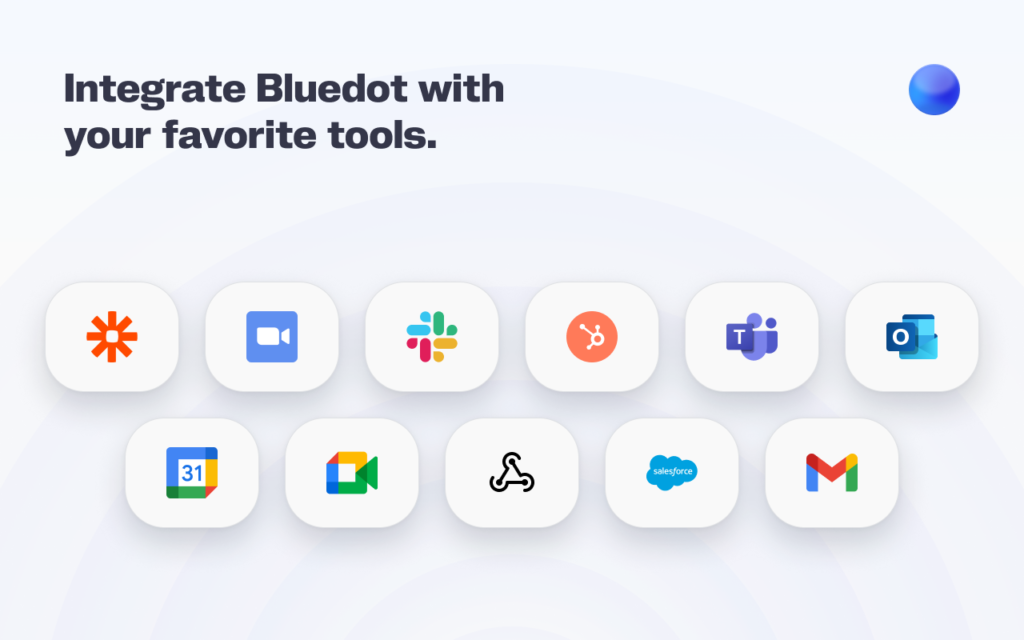
Bluedot boasts support for an impressive array of popular workplace tools and platforms. This includes major communication hubs like Slack, along with comprehensive project management and knowledge-base systems such as Notion, HubSpot, and Salesforce CRM.
This broad compatibility means Bluedot can push summaries, action items, or full transcripts seamlessly into nearly any modern team stack, allowing project managers and sales reps to update their pipelines without manual data entry.
Smart Contextual Customization
A standout feature, Bluedot’s summary engine allows you to set custom formatting styles for different meeting types. By identifying the nature of the conversation—whether it’s a software daily standup, a recruitment interview, or a sales discovery call—it learns the project’s specific priorities.
This deep semantic awareness enables Bluedot to highlight appropriate milestones and terms, ensuring that the newly generated summary is perfectly aligned with your project’s established meeting structures.
Pros & Cons
Pros
- The Power of Choice: Offers both invisible local capture and traditional visible calendar bots depending on your compliance needs.
- Multi-Platform Ready: Works easily across Zoom, Google Meet, Teams, Slack Huddles, and even in-person sessions via mobile.
- Multi-Platform Ready: Works easily across Zoom, Google Meet, Teams, Slack Huddles, and even in-person sessions via mobile.
- Time-Saving Templates: Generates highly structured, scannable summaries automatically.
Cons
- Plan Limitations: Video recording and custom templates are gated behind their higher-tier premium plans.
- Strict Free Tier: The free tier only allows 5 lifetime meetings, making it strictly a trial feature.
Final Verdict: Is Bluedot AI Worth It?
Bluedot AI delivers a remarkably polished, flexible way to handle post-meeting administrative work. By pairing an unobtrusive, localized capture method with an optional compliance bot, it respects user privacy while generating exceptionally well-structured, production-ready documentation. If you find yourself losing hours each week to writing follow-up emails, updating your team’s Notion wiki, or logging call notes into a CRM, Bluedot is absolutely worth adding to your stack.